
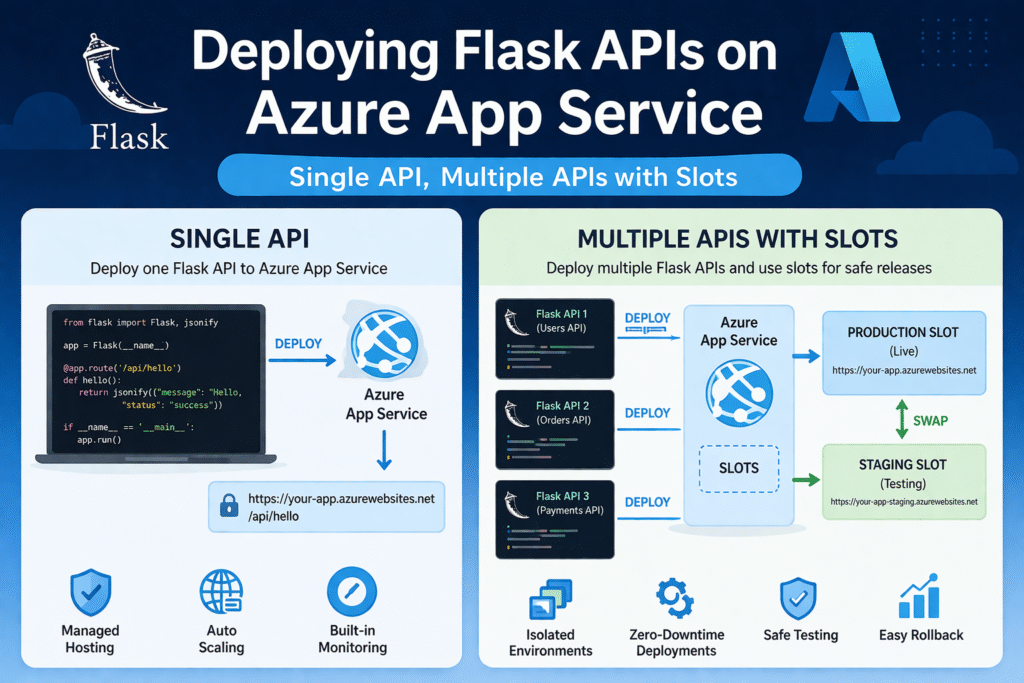
Deploying Flask APIs to the cloud doesn’t have to be complicated. In this guide, we’ll walk through how to deploy single and multiple Flask APIs on Azure App Service, using both VS Code (one-click deployment) and the Azure Portal.
🚀 Why Azure App Service for Flask APIs?
Azure App Service is a fully managed platform (PaaS) that allows you to deploy web apps and APIs without worrying about infrastructure.
Key benefits:
- Easy deployment (one-click from VS Code)
- Built-in scaling
- Deployment slots (for staging & production)
- Secure and highly available
📦 Prerequisites
Before starting, ensure you have:
- Python installed (3.8+)
- Flask app ready
- VS Code with Azure extensions
- Azure account
🧩 1. Deploying a Single Flask API (VS Code – One Click)
Step 1: Prepare Your Flask App
Your project should look like this:
app.py
requirements.txt
Example app.py
from flask import Flask

app = Flask(__name__)

@app.route("/")
def home():
    return "Hello from Flask API!"

if __name__ == "__main__":
    app.run()
Create requirements.txt
flask
gunicorn
Step 2: Add Startup Command
Azure needs a production server:
gunicorn app:app
Step 3: Deploy via VS Code
- Install Azure Tools extension pack (including Azure App Service)
- Sign in to Azure
- Right-click project folder → Deploy to Web App
- Create new Web App:
- Runtime: Python
- Region: closest to you
- Click Deploy
🎉 Done! Your API is live.
🌐 2. Deploying via Azure Portal
Step 1: Create Web App
- Go to Azure Portal
- Click Create → Web App
- Fill details:
- Runtime: Python
- OS: Linux
- Plan: Basic (or Free for testing)
Step 2: Deploy Code
You can deploy using:
- ZIP upload
- GitHub integration
- Azure DevOps
ZIP Deployment
- Zip your project
- Go to:
https://<your-app-name>.scm.azurewebsites.net - Upload ZIP file
Step 3: Configure Startup Command
Go to:
Settings → Configuration → General Settings
Add:
gunicorn app:app
🧠 3. Deploying Multiple Flask APIs
There are 2 main approaches:
✅ Approach 1: Multiple APIs in One App (Recommended)
Structure:
project/
 ├── api1/
 │    └── app.py
 ├── api2/
 │    └── app.py
 └── main.py
main.py
from api1.app import app as api1
from api2.app import app as api2

from flask import Flask

main_app = Flask(__name__)

main_app.register_blueprint(api1, url_prefix="/api1")
main_app.register_blueprint(api2, url_prefix="/api2")

@main_app.route("/")
def home():
    return "Multi API App"

app = main_app
Startup Command
gunicorn main:app
👉 Access APIs:
/api1/api2
✅ Approach 2: Separate App Services
Create multiple App Services:
flask-api-1flask-api-2
Each has:
- Its own deployment
- Independent scaling
👉 Best for:
- Microservices architecture
- Large-scale systems
🔄 4. Using Deployment Slots (Staging → Production)
Deployment slots allow zero-downtime deployment.
Step 1: Create Slot
In Azure Portal:
App Service → Deployment Slots → Add Slot
- Name:
staging
Step 2: Deploy to Slot
Deploy your code to staging slot instead of production.
Step 3: Swap Slots
Click Swap:
Staging → Production
🎯 Benefits:
- Test before going live
- Instant rollback
- No downtime
⚡ VS Code Deployment to Slots
- Right-click project → Deploy
- Select App Service
- Choose deployment slot
- Deploy
🧪 5. Best Practices
✔ Always use gunicorn (not Flask dev server)
✔ Use .env for secrets
✔ Enable logging in Azure
✔ Use deployment slots for production apps
✔ Scale up based on traffic
📊 Architecture Summary
| Scenario | Recommended Approach |
|---|---|
| Single API | One App Service |
| Multiple small APIs | Single App with Blueprints |
| Microservices | Multiple App Services |
| Safe deployment | Use Deployment Slots |
🎉 Conclusion
Azure App Service makes Flask deployment extremely simple—from one-click VS Code deployment to advanced multi-API architecture with deployment slots.
Whether you’re building:
- A simple API
- A multi-service backend
- Or a production-ready scalable system