
Published on April 11, 2026 | Cloud | Azure
Whether you’re shipping a customer-facing web app or an internal API, two questions always come up: Where do I host this? and How do I deploy updates without taking my app offline? Azure App Service answers the first question, and Azure App Service Deployment Slots answer the second. Let’s break both down.
What Is Azure App Service?
Azure App Service is Microsoft Azure’s fully managed Platform-as-a-Service (PaaS) offering for hosting web applications, REST APIs, and mobile backends. Instead of provisioning virtual machines, installing web servers, and patching operating systems yourself, App Service handles all of that infrastructure for you — so you can focus purely on your code.
It supports a wide range of languages and runtimes out of the box:
- .NET and .NET Core
- Node.js
- Python
- Java
- PHP
- Ruby
- Custom containers (Docker)
Key Features of Azure App Service
Auto-scaling — App Service can automatically scale your application up (more powerful hardware) or out (more instances) based on CPU usage, memory, request count, or a custom schedule. Traffic spike at 9 AM every Monday? Set a rule and forget it.
Built-in CI/CD Integration — Connect directly to GitHub, Azure DevOps, Bitbucket, or a local Git repo. Every push to your main branch can trigger an automatic deployment.
Custom Domains and SSL — Bring your own domain and bind a free managed SSL certificate in minutes. HTTPS is enforced with a single toggle.
Application Settings and Connection Strings — Store environment variables and secrets securely in the Azure portal. They’re injected at runtime, keeping sensitive data out of your codebase.
Monitoring with Application Insights — Get live metrics, request tracing, failure analysis, and performance profiling without writing a single line of telemetry code.
VNet Integration — Connect your app to an Azure Virtual Network to securely access databases, caches, and other private resources without exposing them to the internet.
App Service Plans: Choosing the Right Tier
Every App Service app runs inside an App Service Plan, which defines the underlying compute resources. Think of it as the server your app lives on.
| Tier | Use Case | Deployment Slots |
|---|---|---|
| Free / Shared | Development and testing | Not available |
| Basic | Low-traffic production apps | Not available |
| Standard | Production workloads, auto-scaling | Up to 5 slots |
| Premium | High-performance, isolated networking | Up to 20 slots |
| Isolated | Mission-critical, compliance-heavy apps | Up to 20 slots |
A single App Service Plan can host multiple apps, and they all share the same compute resources. This is great for cost savings but something to watch when one app starts consuming a lot of CPU or memory.
What Are Azure App Service Deployment Slots?
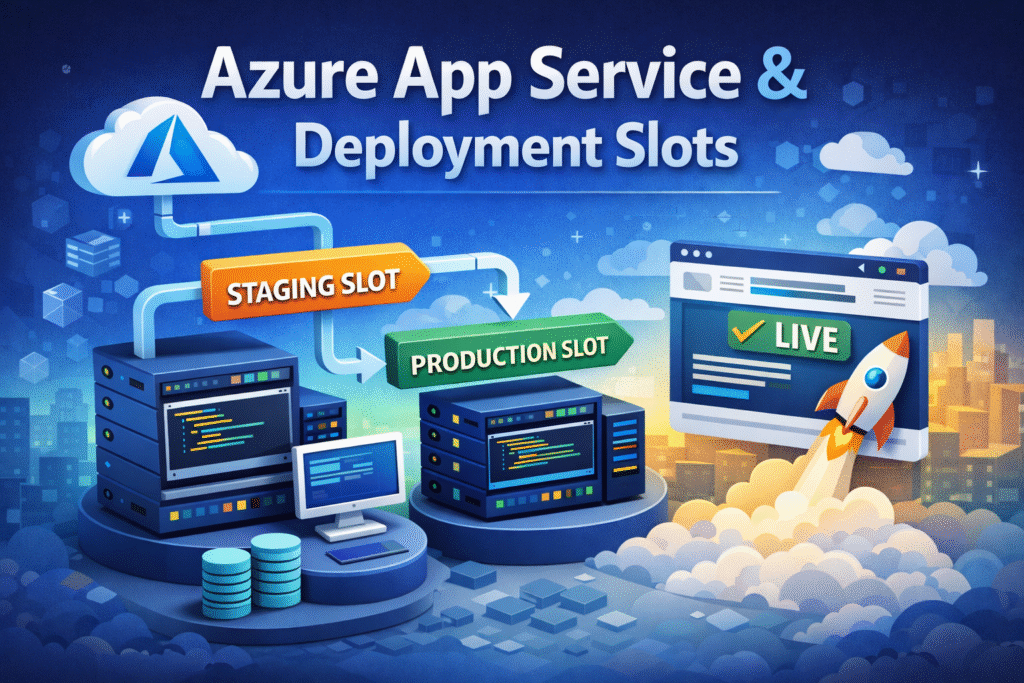
Deployment Slots are live, separate environments within the same App Service app. Each slot has its own hostname, its own configuration, and its own running version of your code — but they all share the same underlying App Service Plan resources.
By default, every app has one slot: the production slot. On Standard tier and above, you can create additional slots — commonly named staging, qa, uat, or dev.
The real magic of slots is the swap operation.
How Slot Swaps Work
When you’re ready to release a new version, here’s the typical workflow:
- Deploy your new code to the
stagingslot. - Warm up the staging slot — it starts, initializes caches, runs health checks, and is fully ready to handle traffic.
- Swap staging with production. Azure routes all production traffic to what was the staging slot, instantly and without any downtime.
- The old production code is now sitting in the staging slot. If something goes wrong, you can swap back in seconds.
This is fundamentally different from a traditional deployment where you push new code directly to production and hope nothing breaks during startup.
What Gets Swapped vs. What Stays Put
This is one of the most important things to understand about slots.
Swapped (move with the code):
- The deployed application code
- General application settings (unless “slot-specific” is checked)
- Connection strings (unless “slot-specific” is checked)
- Handler mappings
- Public certificates
- WebJobs content
Not Swapped (stays in the slot):
- Settings marked as slot-specific (like environment name, feature flags, or slot-specific connection strings)
- Custom domain names
- Private certificates and TLS bindings
- Scale settings
The “slot-specific” flag is crucial. For example, your staging slot might connect to a staging database and your production slot to a production database. You’d mark those connection strings as slot-specific so they never get swapped across environments.
A Real-World Deployment Workflow
Here’s how a team might use slots in practice:
Developer pushes to `main` branch
        ↓
CI/CD pipeline runs tests
        ↓
Successful build deploys to `staging` slot
        ↓
QA team validates on staging.myapp.azurewebsites.net
        ↓
Staging slot warms up automatically
        ↓
One-click swap: staging → production
        ↓
Production is live with zero downtime
        ↓
Old production code sits in staging (instant rollback available)
No maintenance windows. No late-night deployments with fingers crossed. No user-facing errors during cold starts.
Auto-Swap: Fully Automating the Release
If your team is confident in automated testing, you can enable Auto-Swap on a slot. When new code is deployed to that slot and it passes its warmup phase, Azure automatically swaps it into production — no human intervention required. This is a key enabler of continuous deployment pipelines.
Traffic Routing: Gradual Rollouts with Slot Traffic
Beyond full swaps, App Service lets you split live traffic between slots by percentage. For example:
- 90% of users hit production
- 10% of users hit the new
stagingslot
This is perfect for canary releases or A/B testing. You can validate that new features perform well under real traffic before committing to a full swap. If metrics look good, bump the percentage up gradually. If something looks off, drop it back to 0% and investigate.
Monitoring Slots Independently
Each slot emits its own metrics — request counts, response times, CPU usage, memory, and error rates — independently of other slots. Before a swap, you can compare staging metrics against production baselines and make an informed decision. Application Insights can be configured per slot, giving you full observability into every environment.
Common Pitfalls to Avoid
Forgetting to mark slot-specific settings — If your staging and production database connection strings aren’t marked as slot-specific, a swap will point production at your staging database. Always double-check this.
Not warming up before swapping — Cold starts can cause the first few requests to be slow. Use the built-in warmup feature (configure startup routes in your app) to ensure the slot is fully ready before it receives production traffic.
Sharing an App Service Plan across too many apps — Slots count against your plan’s resources. A resource-hungry staging environment can starve your production app if they’re on the same plan.
Using slots for long-lived dev environments — Slots are great for short-lived pre-production stages. For full development environments that need to run indefinitely, consider separate App Service instances or Azure Static Web Apps.
Summary
| Feature | Azure App Service | Deployment Slots |
|---|---|---|
| Purpose | Host web apps and APIs | Manage multiple environments per app |
| Key Benefit | Fully managed, no infra to maintain | Zero-downtime deployments and instant rollback |
| Best For | Any web workload on Azure | Teams shipping code frequently to production |
| Requires | Any App Service Plan | Standard tier or above |
Wrapping Up
Azure App Service removes the operational burden of managing servers, and Deployment Slots remove the operational risk of deploying updates. Together, they give your team the confidence to ship faster — and sleep better on release nights.
If you’re still deploying directly to production and hoping for the best, setting up a staging slot and building a swap-based pipeline is one of the highest-leverage improvements you can make to your deployment process. It takes an afternoon to set up and pays dividends on every release thereafter.
Have questions about setting up App Service slots for your project? Drop a comment below or reach out — happy to help.